
Your visitors
Person-level visitors
What this does
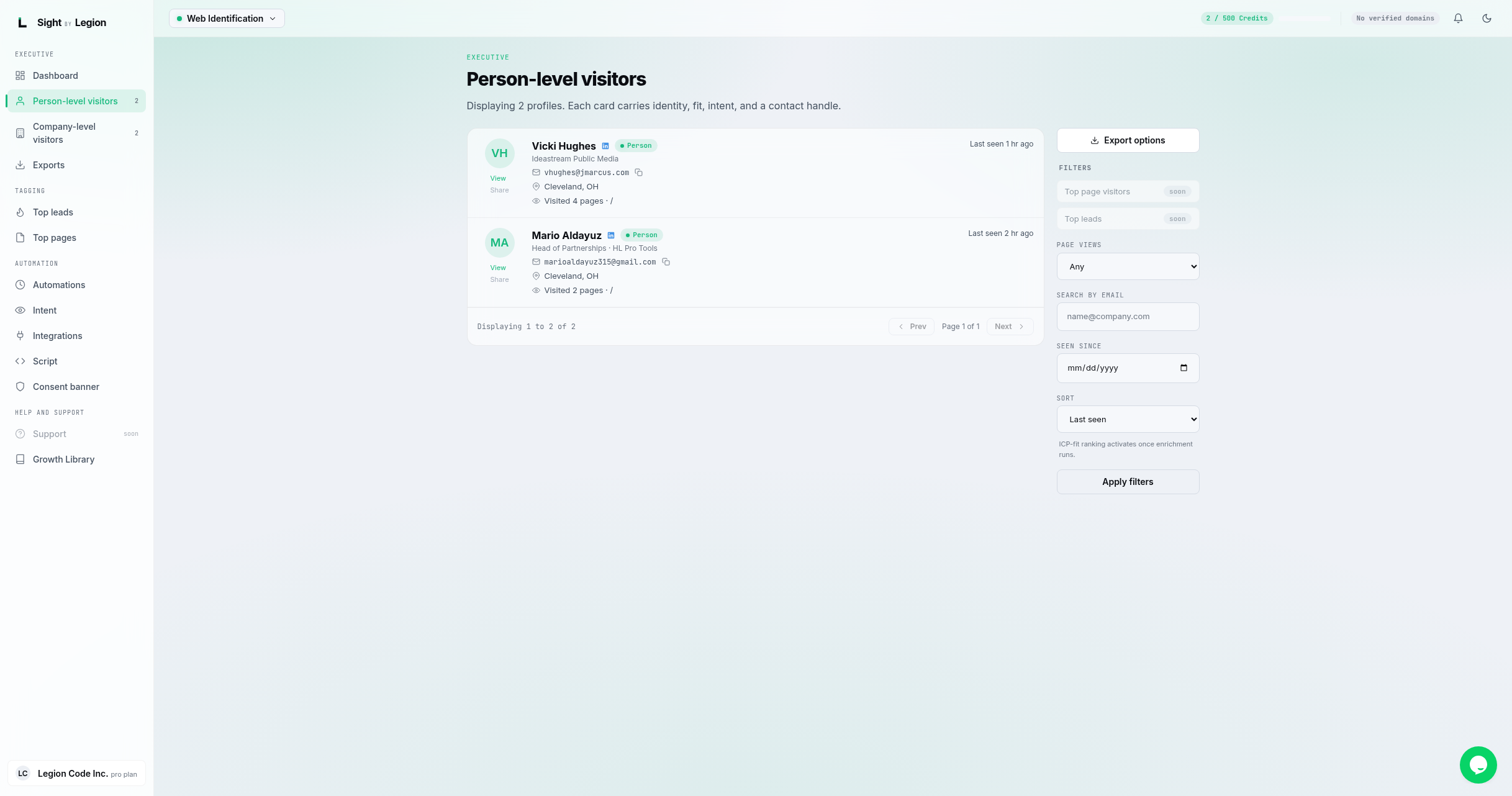
Shows the feed of identified people who visited your site. Each card carries the person's identity, fit, intent, and a contact handle so you can act on them.
What is on each card
- Name and (when available) a LinkedIn link.
- Title and company.
- Business email (with a copy button).
- Location.
- How many pages they viewed and the most recent pages.
- Last seen (relative time) and the referrer.
- ICP fit score, when enrichment has run.
- View opens the full person profile. (A Share action is marked "coming soon".)
Filtering the feed
Use the filter rail on the right:
- Page views: limit to visitors with 2+, 5+, 10+, or 20+ views.
- Search by email: find a specific person by email.
- Seen since: show only visitors seen on or after a date.
- Sort: by Last seen or ICP-fit (ICP-fit ranking activates once enrichment runs).
- Click Apply filters. Page-view, since, and sort changes apply as you choose them; the email search applies on Apply.
The rail also has an Export options button that jumps to the Exports page.
Steps
- Open Profile -> People.
- Narrow the list with the filters on the right.
- Click View on a card to open the full profile.
Tips & FAQs
- No people yet? Once your tracking script resolves visitors, identified people appear here. Try widening your filters, or confirm the script is installed and verified.
- Email copy. Click the email to copy it to your clipboard for quick outreach.
- ICP fit. The ICP-fit score and ICP sort depend on enrichment running for your account.
- Top lead tagging is not on this feed yet. The Top Leads filter on the rail is marked "soon", and a card carries no top-lead tag today. Manage your rules on the Top Leads page in the meantime. See Top leads.