
Automation
Automations (velocity rules)
What this does
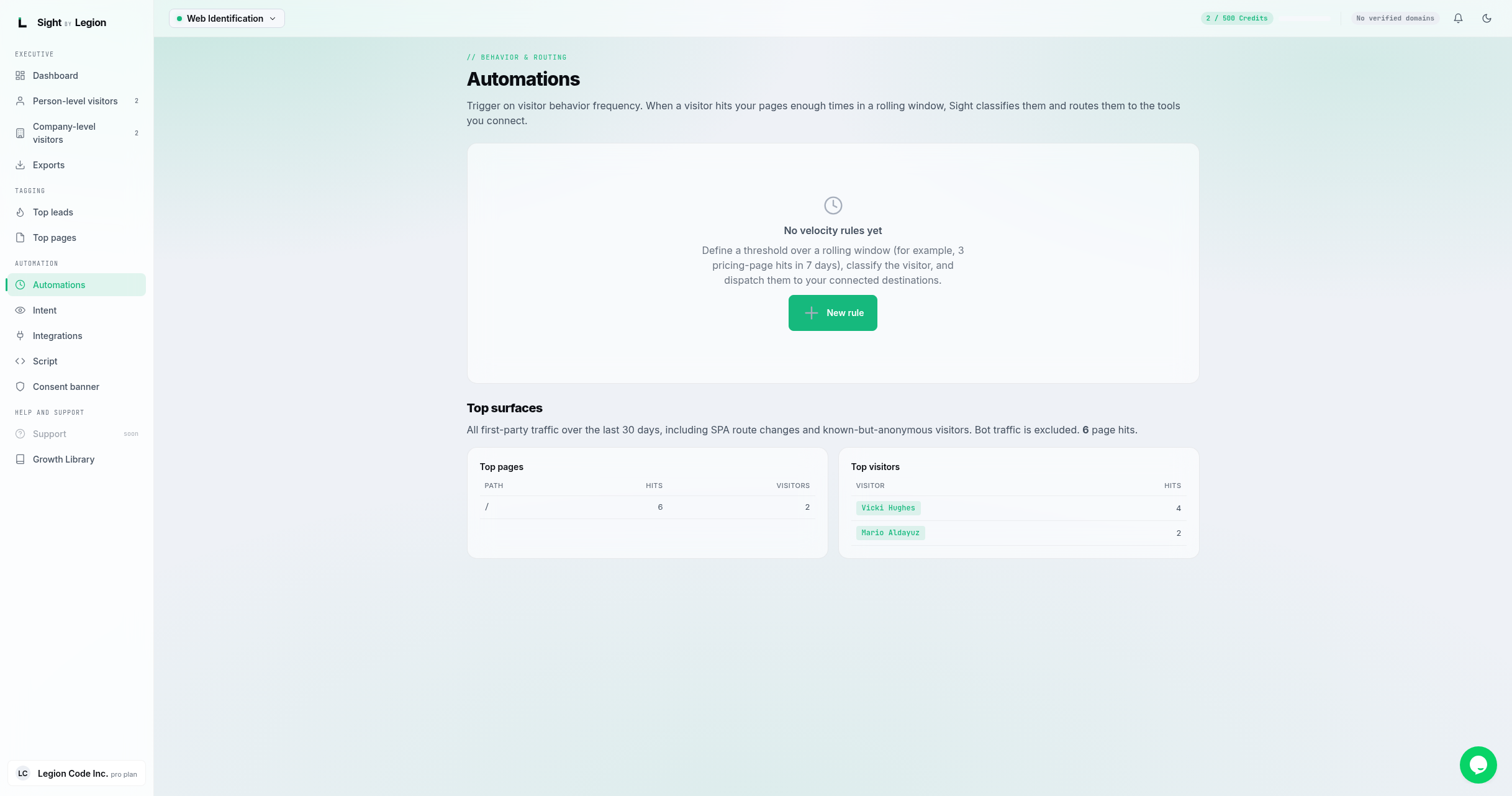
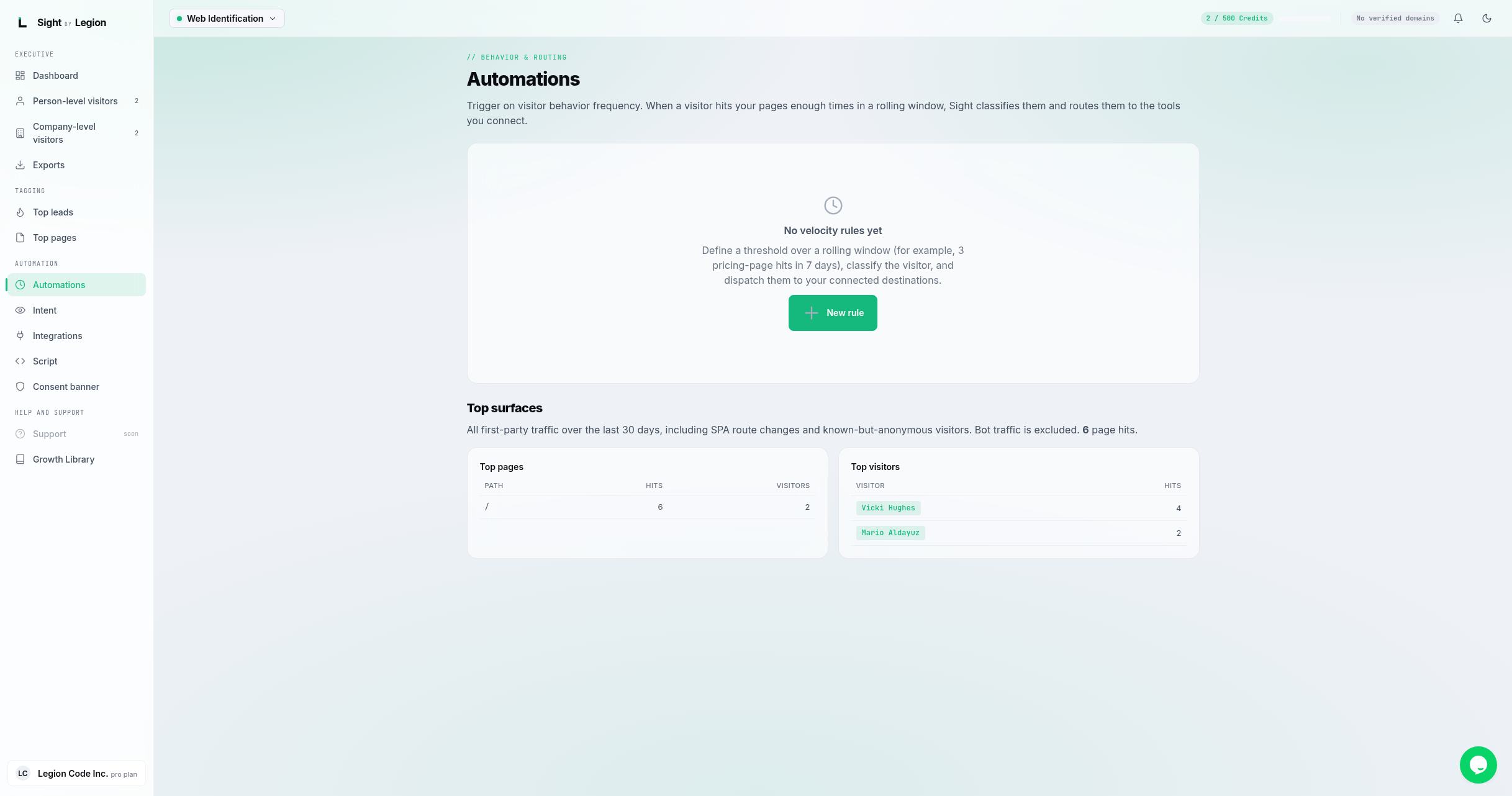
Automations trigger on visitor behavior frequency. When a visitor hits your pages enough times in a rolling window, OSPRY classifies them and routes them to the tools you connect. The page also shows your top pages and top visitors over a recent window.
Steps
- Open Score -> Automations.
- Click New rule.
- In the rule dialog, define the velocity rule:
- A threshold (how many page hits).
- A window (the rolling time window, for example 7 days).
- A scope and an optional path pattern with a match type, to focus the rule on specific pages.
- A classification to apply when the threshold is crossed.
- Destinations: the connected integrations to route the visitor to.
- Save the rule. Visitors crossing the threshold are classified and pushed to the connected destinations.
A common example: "3 pricing-page hits in 7 days" classifies the visitor and dispatches them to your CRM.
Top surfaces
Below the rules, the Top surfaces section shows all first-party traffic over a recent window (including single-page-app route changes and known-but-anonymous visitors; bot traffic is excluded):
- Top pages: Path, Hits, Visitors.
- Top visitors: Visitor (resolved label or an anonymous id), Hits.
Tips & FAQs
- Owners and admins only for editing. Members can view rules and the top surfaces.
- Velocity vs intent. Automations count page hits. To trigger on richer behavior (deep scrolls, video completes, downloads, form submits), use Intent signals.
- Bots do not count. Bot traffic is excluded from the top surfaces.
- Connect destinations first. A rule can route to integrations you have connected on the Integrations page.