
Your visitors
Reading a person profile
What this does
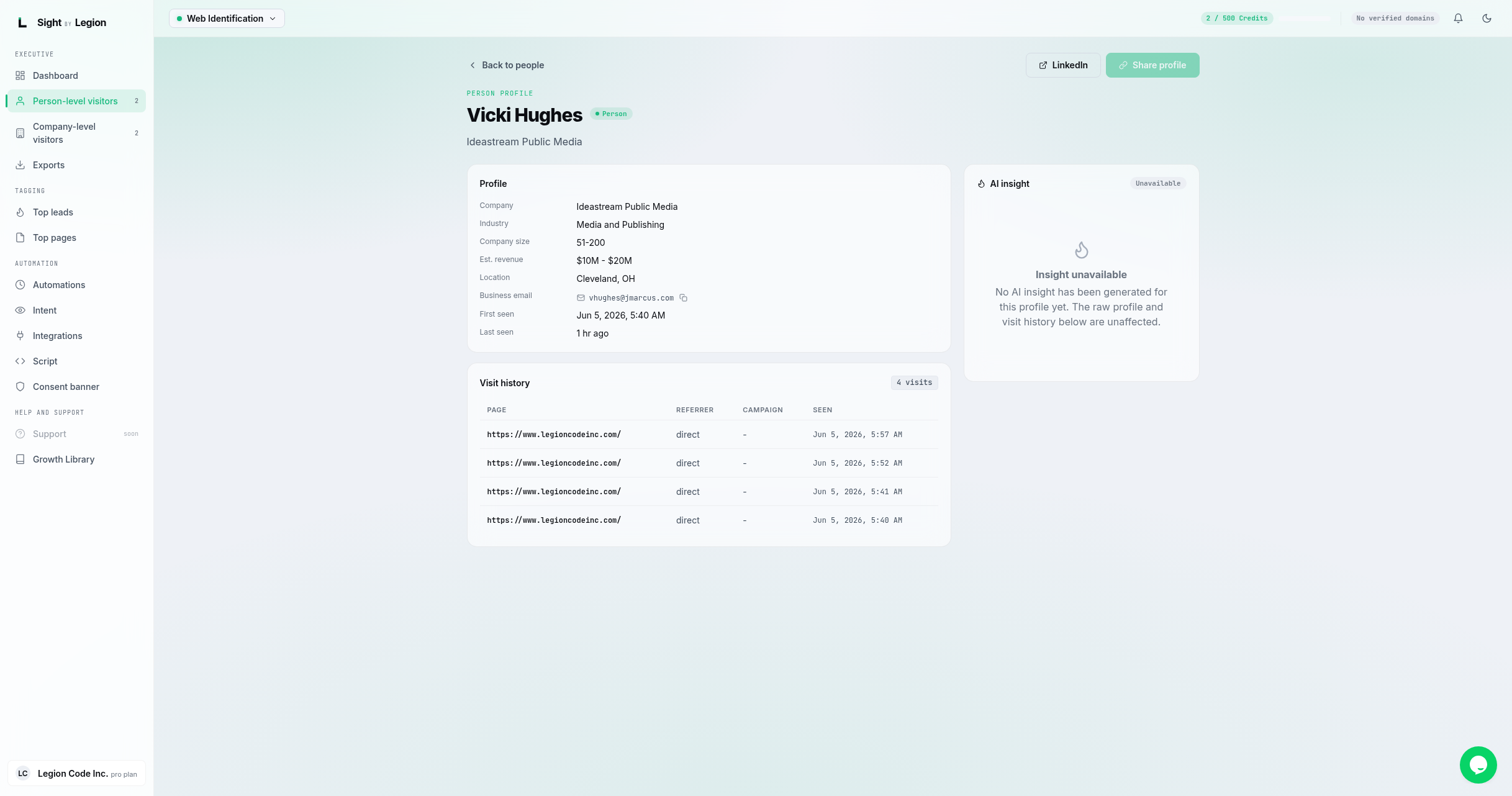
Shows everything OSPRY knows about one identified person: their profile fields, their journey across your site, and an AI insight panel.
What is on the page
- Header: name, a person tier badge, and (when available) title and company. A LinkedIn button opens their profile in a new tab. (A "Share profile" button is marked coming soon.)
- Profile panel (the fields that are present for that person):
- Title, Seniority, Company, Industry, Company size, Est. revenue, Location.
- Business email (with a copy button).
- Match: "Deterministic" or "Probabilistic", indicating how the identity was matched.
- First seen and Last seen.
- Visitor journey panel: a grouped, expandable timeline of everything this person did on your site. It replaced the old flat visit table, so it reads as a story rather than a list.
- An overview strip across the top: Intent score with its band and window, Engagement (visits and events), Lifecycle (first seen, and how long ago they were last seen), Activity (a sparkline of events per visit), and Sources / Campaigns when any are known.
- Below it, one entry per visit, newest first. Each carries when it happened, the source domain, the first page of the visit, and a tag for what kind of visit it was. Expand a visit to see the pages in it, and expand a page to see the individual actions with their details and times.
- AI insight panel: an AI-generated insight about the person (depends on enrichment for your account).
Steps
- From Person-level visitors, click View on a card.
- Review the Profile fields and the Visitor journey.
- Use LinkedIn to open the person's profile, or copy the business email for outreach.
- Click Back to people to return to the feed.
Tips & FAQs
- Fields vary by person. Only fields OSPRY resolved are shown; sparse profiles show fewer rows.
- Deterministic vs probabilistic. "Deterministic" means a high-confidence match; "probabilistic" is an inferred match.
- AI insight depends on enrichment. If insights are not enabled for your plan, the panel reflects that. Enrichment mode is set on Account settings.
- The journey is per profile. It groups this person's activity by visit, with the source domain and campaign shown where known. A person with no recorded activity yet shows an empty journey rather than a blank panel.