
Account and team
Notifications
What this does
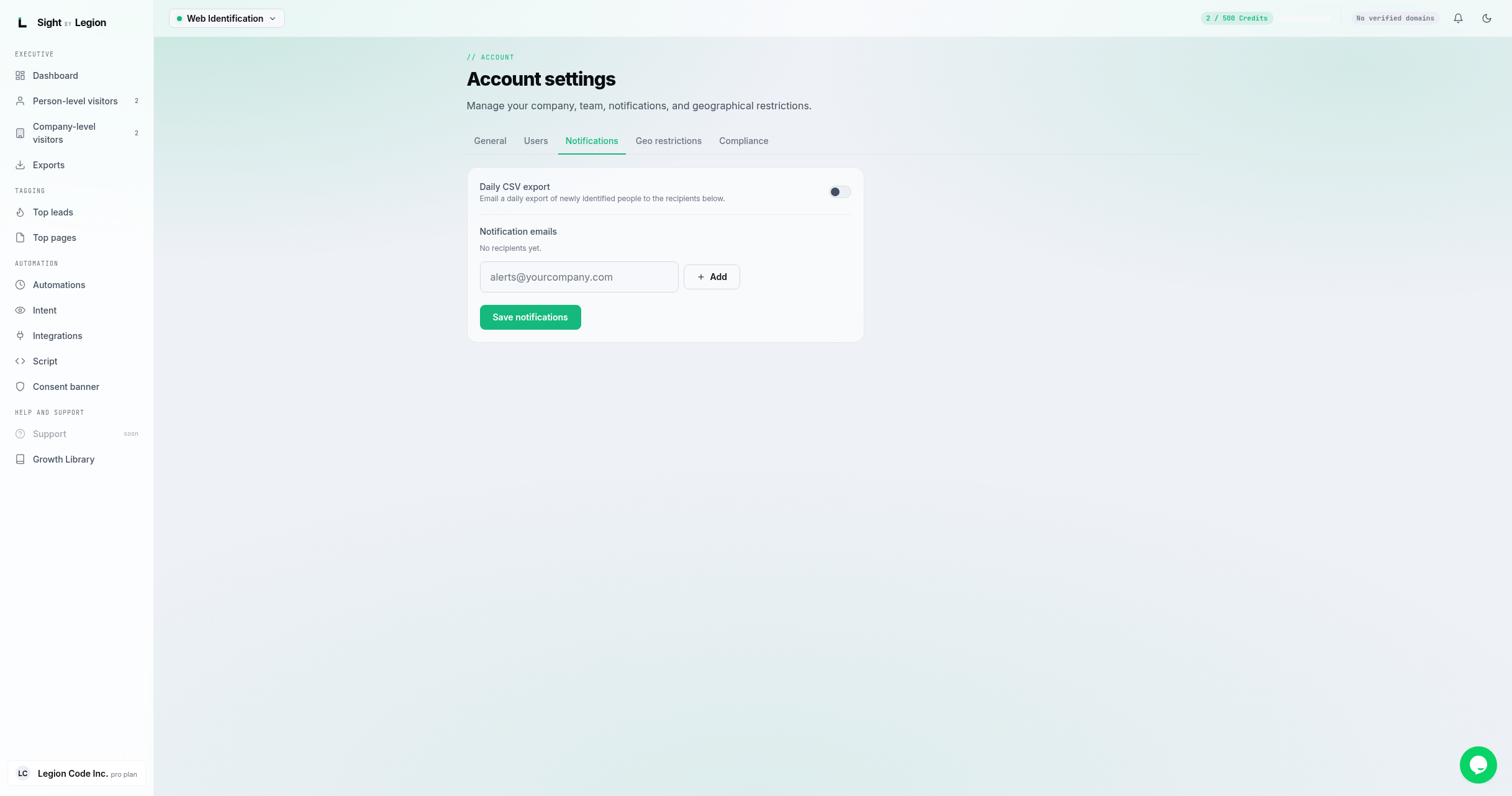
Controls who gets emailed when OSPRY sends a daily export, and turns the daily export on or off. The recipient list here is the same list that receives export download links.
Steps
- Open the account menu and choose Notifications (or open Account settings and select the Notifications tab).
- Toggle Daily CSV export on to email a daily export of newly identified people to the recipients below.
- Add recipients: type an email and click Add (or press Enter). Remove one with the x on its chip.
- Click Save notifications.
Tips & FAQs
- Editing is privileged. Owners, admins, and agency admins can change notifications. Members can view.
- One list, two uses. These recipients receive both the daily export and the download links for manual exports.
- Valid emails only. Each address is format-checked; duplicates are removed. There is a cap on the number of recipients.
- Daily export also lives on the Exports page. You can toggle the daily export there too; the recipient list is managed here. See Exporting your visitor data.