
Billing and plans
Understanding usage and metering
What this does
Explains how OSPRY counts what you pay for, so your wallet usage and invoices make sense.
What counts
- New person identifications draw from your wallet. Each new person OSPRY identifies draws your prepaid wallet down at your plan's per-identified-person rate.
- Enrichments draw from your wallet. On Pro+ and Agency, each AI enrichment draws the wallet down at your plan's per-enrichment rate.
- Repeat visitors are free. Someone you have already identified is not charged again. Repeat visits are not re-recorded unless you turn on repeat-visitor collection on the Script page, and even then they remain free.
- Excluded domains never count. Domains on your exclusion list (for example, free email providers or your own internal traffic) are never charged.
- Loading contacts is free. Bringing your own contacts in (CSV, the contacts API, or a HighLevel sync) is free and unmetered at any volume; the wallet is only drawn down when a new person is identified or enriched.
- Domains and seats are plan inclusions, not a per-domain charge. Your plan includes a set number of domains and seats; you are not billed per active domain.
- Intent volume is metered for cost attribution. The behavioral layer's volume is recorded per account so its upstream cost is attributed correctly; it does not draw your wallet down. You can see intent volume this period and all time on the Intent page.
Where to see your usage
- Dashboard: the identification tiles show resolved people and companies for the selected range.
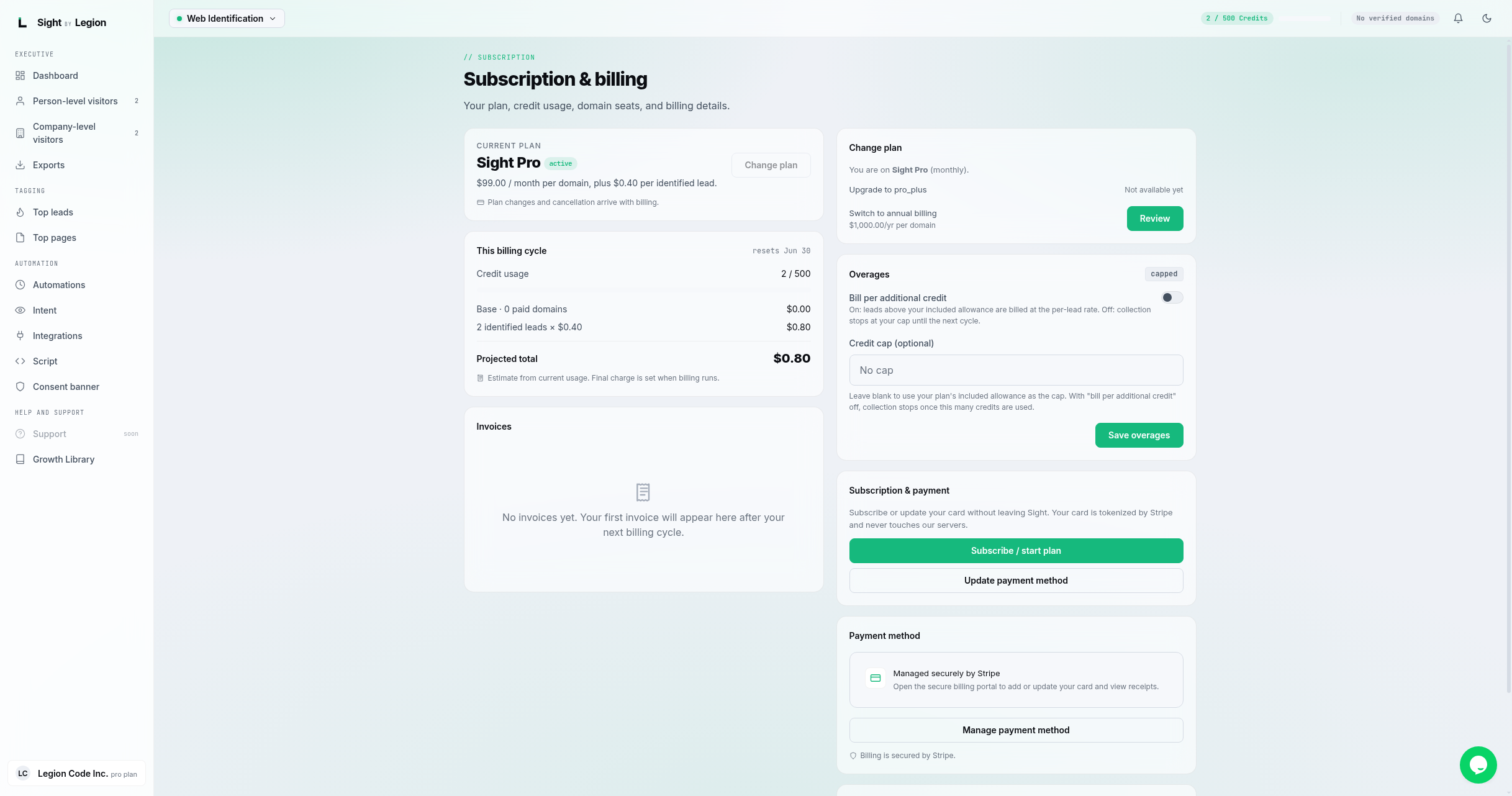
- Subscription page: your wallet balance, recent draw-downs, and your per-unit rates.
- Intent page: intent volume this period and all time.
Steps
- Open the account menu and choose Billing to see your wallet balance and recent usage.
- Compare resolved people against your Dashboard tiles for the same period.
- Turn on auto-top-up so identification never pauses when the balance runs low (optionally with a recharge threshold and target).
Tips & FAQs
- Why was I charged for a visitor? Charges are for new person identifications and enrichments. Repeat visits, excluded domains, and loaded contacts are never charged.
- Keep noise out. Add internal and free-email domains to the exclusion list on the Script page so they never draw from your wallet.
- Turning on repeat collection. This is a strong buying signal, and repeats stay free; it is off by default so your feed stays clean.
- Plan a ceiling. Set the auto-top-up threshold and target to keep spend predictable. New metered work normally pauses before an insufficient balance is debited; a bounded negative balance can still appear from chargebacks or an already in-flight grace case, and it remains visible in the wallet ledger.