
Your visitors
Company-level visitors
What this does
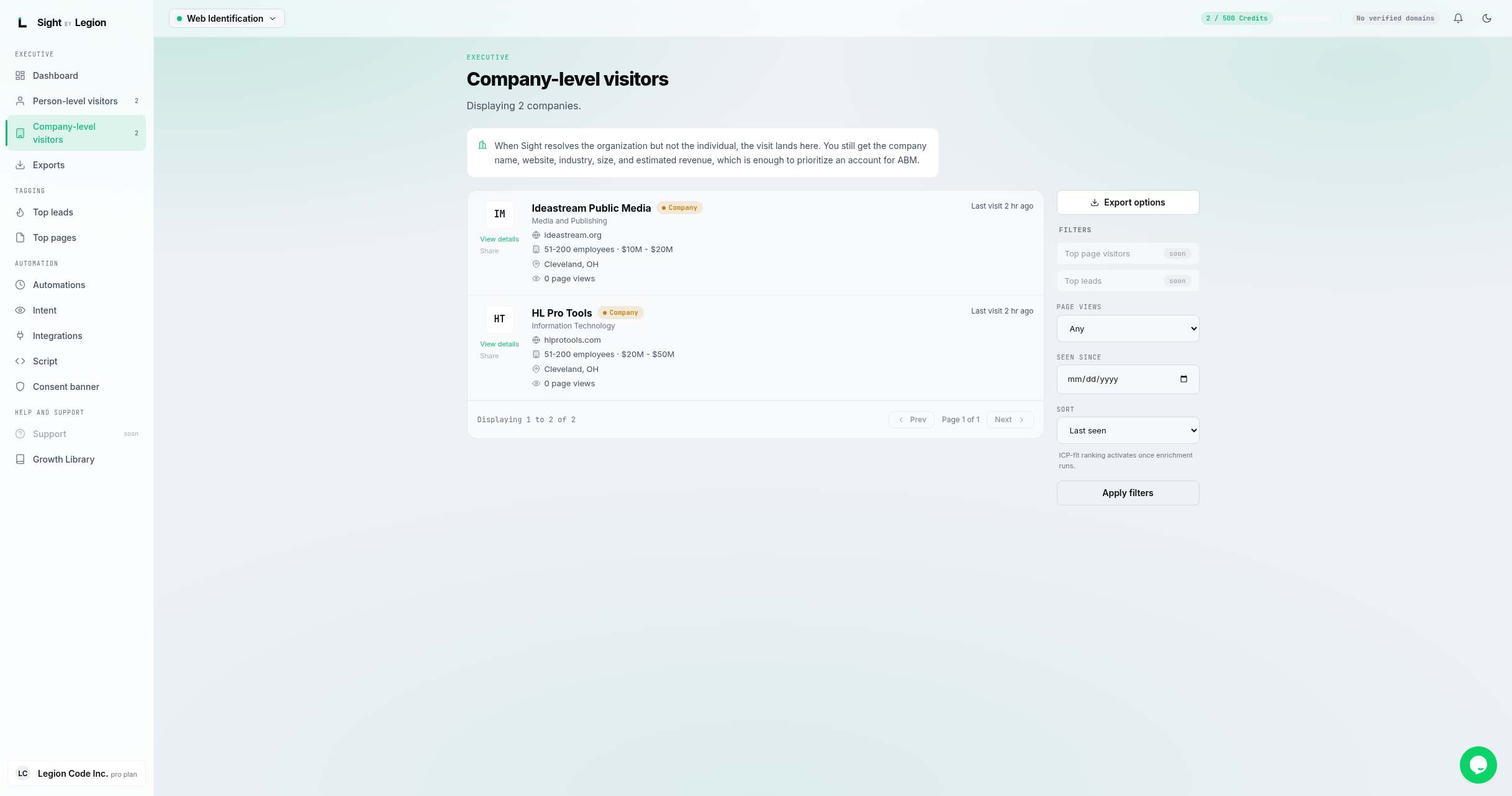
Shows the feed of identified companies. When OSPRY resolves the organization but not the individual, the visit lands here. You still get the company name, website, industry, size, and estimated revenue, which is enough to prioritize an account for ABM.
What is on each card
- Company name and (when available) a LinkedIn link.
- Industry.
- Website.
- Size (employee count and estimated revenue).
- Location.
- Page views.
- Last visit (relative time).
- ICP fit score, when enrichment has run.
- View details opens the full company profile. (A Share action is marked "coming soon".)
Filtering the feed
The filter rail mirrors the people feed, without the email search:
- Page views: 2+, 5+, 10+, or 20+ views.
- Seen since: a start date.
- Sort: Last seen or ICP-fit.
- Click Apply filters.
There is also an Export options button to jump to the Exports page.
Steps
- Open Profile -> Companies.
- Filter to the accounts you care about.
- Click View details to open the company profile.
Tips & FAQs
- No companies yet? Company-level resolutions appear once OSPRY can name the organization behind a visit.
- Company vs person. A visit shows here when OSPRY identified the company but not a specific individual. Person-level identifications are in the people feed.
- Great for ABM. Even without a named person, company-level visits tell you which accounts are showing interest. Pair this with ABM advertising.