
Billing and plans
Subscription and billing
What this does
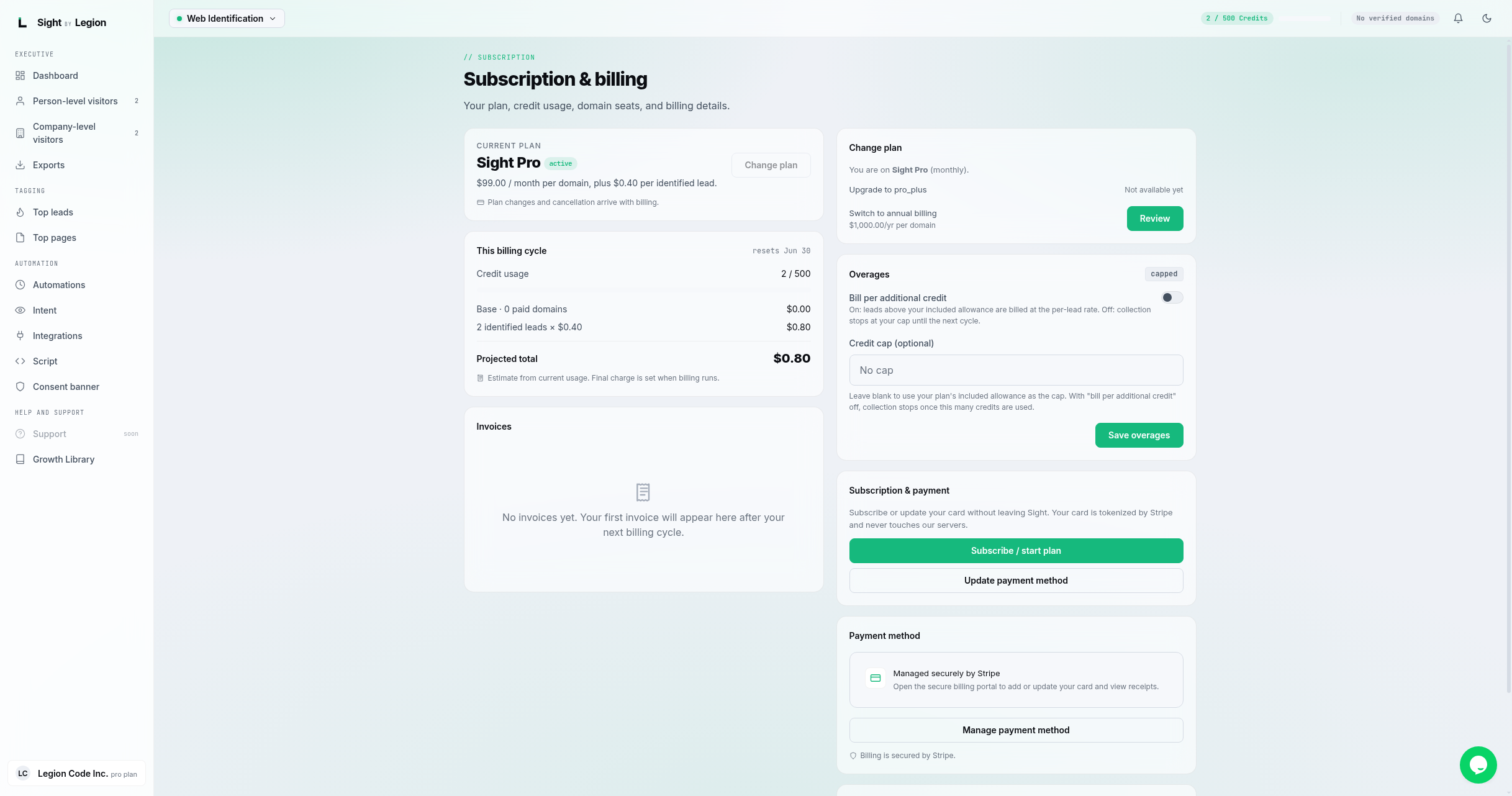
The Subscription page shows your plan, your prepaid wallet balance and usage, your invoices, and your payment method. You can change plans, top up your wallet, and update your card without leaving OSPRY.
What is on the page
- Plan card: your current plan and status, the flat monthly access fee, and your tier's per-identified-person and per-enrichment rates.
- Wallet: your prepaid balance, recent usage drawn from it, and your auto-top-up setting.
- Invoices: your real Stripe invoices (linked as Stripe-hosted PDFs).
- Plan change: change your plan (owners and admins).
- Subscription & payment: a Subscribe / start plan action, a Top up wallet action, and an Update payment method action. Your card is handled by Stripe through an in-app payment form and never touches OSPRY's servers.
- How billing works: a plain-language summary of the model.
How billing works
OSPRY bills two things, and only two:
- A flat monthly access fee for your plan's feature set. This is the "what you can do" charge. It is decoupled from the number of domains: your plan includes a set number of domains and seats, it is not billed per domain.
- Pay-per-use from a prepaid wallet. You load dollars into a wallet and draw it down as OSPRY identifies and enriches people, at your tier's per-unit rate. This is the "how much you used" charge. Revenue is recognized as the wallet is spent, not when you load it.
The firm, published rates by plan:
| Plan | Flat fee | Per identified person | Per enrichment |
|---|---|---|---|
| Free | $0 forever | n/a | n/a |
| Starter | $100/mo | 36¢ | not included |
| Pro | $150/mo | 33¢ | not included |
| Pro+ | $250/mo | 30¢ | 18¢ |
| Agency | $500/mo | 27¢ | 15¢ |
The per-unit rate drops as the tier rises. There is also a $1 trial: 30 days of the full Pro+ feature set with $10 of wallet credit at reduced rates, which rolls into a paid plan unless you cancel (stated at checkout). Repeat visitors and excluded domains are always free. Wallet funds do not expire. No contracts, cancel anytime. Every paid plan includes the consent platform and public API access.
Steps
- Open the account menu and choose Billing.
- Review your plan, your tier rates, and your wallet balance.
- To change plans, use the Plan change card (upgrades apply immediately and are prorated; downgrades take effect at the end of the period).
- To add funds, use Top up wallet (minimum top-up $25), or set auto-top-up so usage never stalls on a drained wallet.
- To start a plan or update your card, use Subscribe / start plan or Update payment method; a secure Stripe payment form opens inline.
- After paying, you may see a "Payment processing" banner. Your plan activates automatically once the payment settles; the page updates when it does.
Tips & FAQs
- Owners and admins only. The Billing entry in the account menu appears only for privileged roles.
- Card security. Your card is tokenized by Stripe; OSPRY never stores card numbers, and there is no redirect to a hosted checkout page.
- No surprise bills. Your wallet balance and per-unit rate are always visible. If the wallet runs low, in-flight work completes and is recorded, then new metered work pauses until you top up; nothing is lost.
- Auto-top-up. Set "when my balance reaches or falls below X, recharge to Y" so usage does not remain stalled. Setting X to $0 means refill when the wallet is depleted. Concurrent activity converges on one refill attempt; if later usage depletes the new funds, another refill can occur in the same billing period.
- Promotions. Operator-issued grants and redeemable coupons post wallet credit that draws down the same way as purchased funds; they are tracked separately so they are never confused with cash.
Operator note: plan names, flat fees, and per-unit rates are defined in the operator catalog (the database is the source of truth and Stripe is a synced mirror), read live onto the Plan card. Always trust the figures shown on your own Subscription page over any number quoted here.