
Your visitors
Reading a company profile
What this does
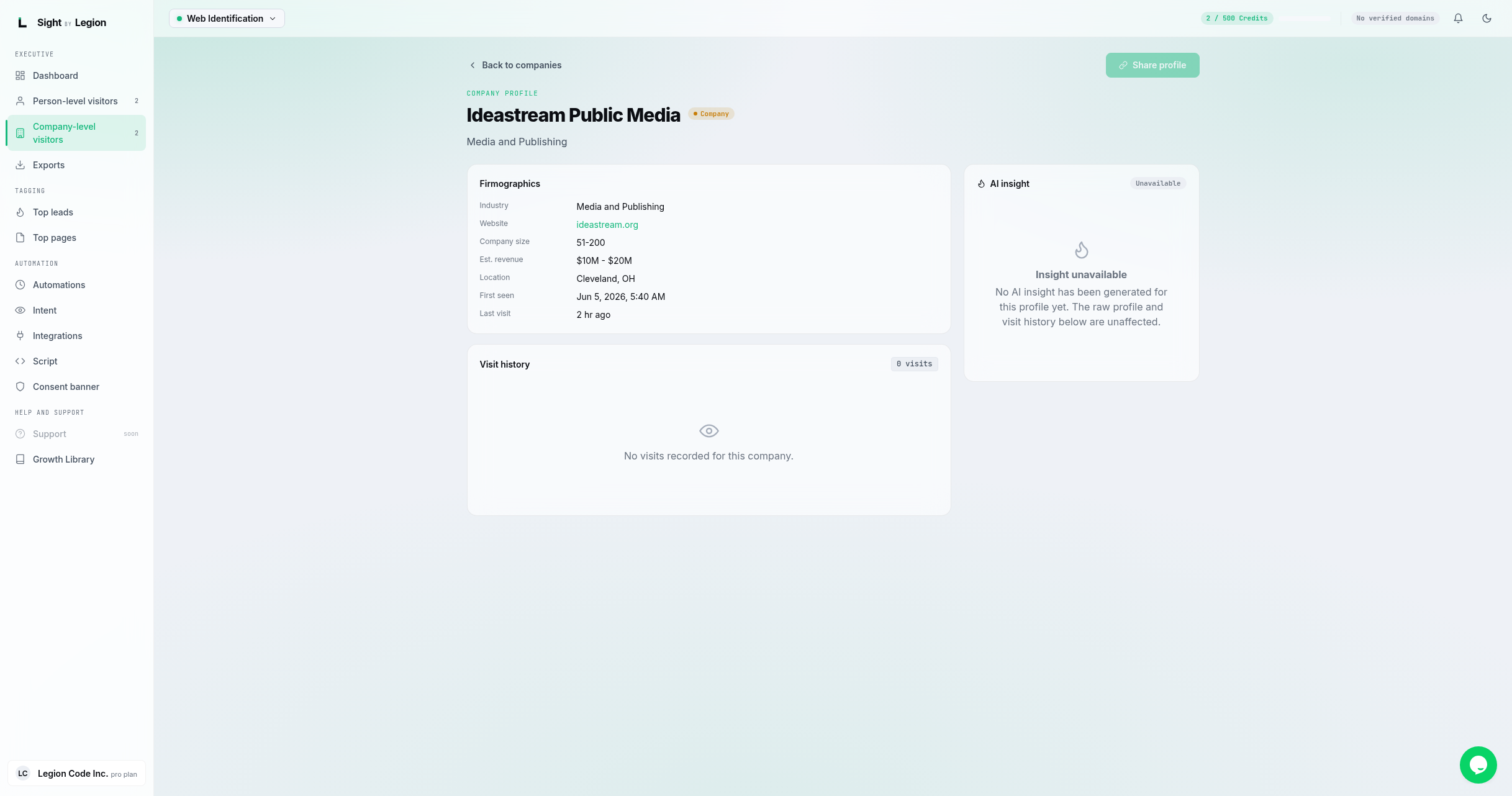
Shows everything OSPRY knows about one identified company: its firmographics, its journey across your site, and an AI insight panel.
What is on the page
- Header: company name, a company tier badge, and the industry. A LinkedIn button opens the company page in a new tab. (A "Share profile" button is marked coming soon.)
- Firmographics panel (the fields that are present):
- Industry, Website, Company size, Est. revenue, Location.
- First seen and Last visit.
- Account journey panel: a grouped, expandable timeline of everything anyone at this company did on your site. It replaced the old flat visit table, so it reads as a story rather than a list.
- An overview strip across the top: Engagement (visits and events), Lifecycle (first seen, and how long ago the account was last seen), Activity (a sparkline of events per visit), and Sources / Campaigns when any are known.
- Below it, one entry per visit, newest first, labelled with the identified person where OSPRY resolved one and "Anonymous visitor" where it did not. Expand a visit to see the pages in it, and expand a page to see the individual actions with their details and times.
- AI insight panel: an AI-generated insight about the account (depends on enrichment for your account).
Steps
- From Company-level visitors, click View details on a card.
- Review the firmographics and the Account journey.
- Use the Website or LinkedIn links to research the account.
- Click Back to companies to return to the feed.
Tips & FAQs
- Fields vary by company. Only resolved fields are shown.
- The Account journey groups the activity of everyone at this company by visit, naming the identified person on a visit where OSPRY resolved one, with the source domain and campaign shown where known.
- Turn interest into action. Use a company's repeated visits as a signal for outreach or to build an ABM audience. See ABM advertising.